The Hidden Costs of Using Zendesk for Technical Documentation


With so many different tools available to create and manage technical documentation, it can be difficult to know which ones are best for documentation teams. As companies look to streamline their tech stacks and manage shrinking budgets, they look for software that can support multiple use cases. Zendesk is one of these tools, providing capabilities to support customer support teams, including knowledge management.
But sometimes the desire to streamline tools results in a loss of critical capabilities for one or more teams. This can be the case when a company selects Zendesk to manage technical content.
In this blog, we’ll examine Zendesk’s capabilities for creating and managing technical documentation, where it falls short, and when to know you need a tool purpose-built for technical content.
Let’s get started.
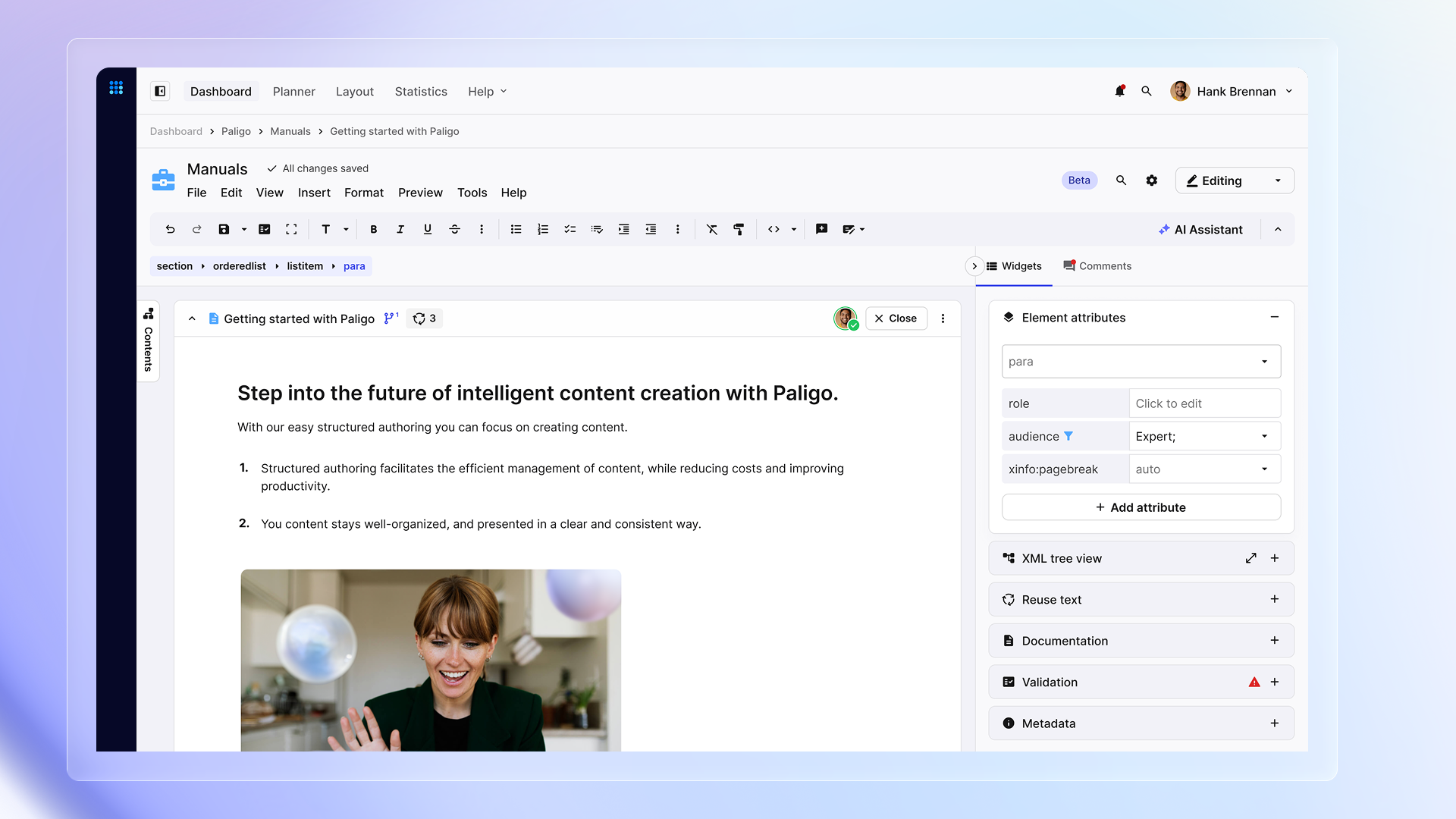
Unstructured vs Structured Content: Comparing Paligo with Confluence, MS Word, Google Docs, Zendesk Knowledge and Adobe InDesign
Discover the difference with structured content
Zendesk: Built for Customer Support, not Technical Documentation
If you are looking for customer support software, Zendesk is typically at the top of the list. Zendesk is a customer support and engagement platform that helps companies manage and streamline customer interactions across multiple support channels, including messaging, live chat, voice support, and more, consolidating them into a unified experience. The ticketing system consolidates requests across multiple channels, providing support agents with a single place to track, manage, and resolve issues.
Zendesk also includes self-service capabilities, such as a Help Center (knowledge base), FAQs, and community forums. It’s the knowledge base where some companies plan to manage their technical documentation.
Can Zendesk Double as a Documentation Tool?
The Zendesk Knowledge Base can be used to create and manage technical documentation, and for some companies, it’s a good fit. It’s available starting with the Zendesk Suite plan and above, but many advanced features are only available in the Enterprise plan, so if it is on your list to evaluate for technical documentation, make sure you know what plan provides the features you need.

Article-Based Content Creation: A Limiting Approach for Tech Docs
The knowledge base has a basic content architecture. You define categories and, within each category, you create sections. Neither categories nor sections have content; they are simply organizational structures. It’s within a section that you begin to create content in the form of articles.
Articles are page-based (similar to Microsoft Word or Google Docs), and include a mix of content and styling. You can create articles directly in Zendesk using the WYSIWYG editor. In some cases, teams will create the content in an external authoring tool such as Word, Google Docs, or rich text and then cut and paste it into the Zendesk article editor.
You can create a site-wide theme for styling your articles, but you can also edit an article’s HTML source directly. There is, however, a limit on the HTML tags you can apply. If you choose to make style changes to an individual article, you’ll have to manually track those changes.
When you want to work with others on your content, you need workflow capabilities. There is a review and approval workflow in the Enterprise Plan, along with the ability to schedule articles to go live.
You can track changes made to your articles using version history, as well as all activities performed in relation to an article. You can restore a previous version of an article, but not individual revisions to it. If your article included one or more content blocks, those blocks become unlinked, and their content is placed inline with the rest of the article. Versioning is supported in Professional and Enterprise plans.
Metadata: Helpful, But Not Built for Docs
To apply tags and labels to your content, you will need a Pro or Enterprise plan. Tags are used to support the “related to” widgets in the Zendesk Help Center, while labels are keywords or phrases used by search, chatbots, or to create lists.
Limited Content Reuse: Where Zendesk Falls Behind
Zendesk’s Knowledge Base does provide some content reuse capabilities in the Enterprise plan. You can create content blocks, which can be a paragraph, section heading, table, bulleted list, code block, or a subsection (even an entire article). These content blocks are stored in a dedicated section, where you can select them and insert them into your articles.
You can view where a content block is used across your categories, and if you update a content block, it should automatically update everywhere it’s used (although if you read the forums, this may not always happen).
A tricky part is that you can apply formatting to your content blocks, so if you are reusing them, you need to consider how much formatting to apply.
One important capability for technical documentation teams is the ability to create variants or apply filters to content, enabling them to create a single version of their documentation and adjust it for different audiences. For example, you want to create a set of documentation that supports users of all subscription levels of a SaaS product, but some features are only available at certain levels.
Another example: your product is sold in multiple countries, but you had to give it a different name in a few countries. You need your documentation to support each name. Filtering or profiling, along with variants, allows you to do that. Unfortunately, the knowledge base does not provide either of these capabilities.
Comparing Zendesk Knowledge to Paligo CCMS
Discover the difference with structured content
Translating Articles: Options Without Efficiency
Zendesk integrates with a number of third-party translation providers, or you can build your own integration using its API. If you purchased the Copilot add-on, you can also translate articles using the AI translation for articles tool. Copilot will create a new version of an article for each language you want. And, of course, you can also choose to manually handle translations using a spreadsheet and copying and pasting. Zendesk does track translations to the source article.
Depending on your approach to translations, the process for managing translations varies. In a manual approach, you must manually flag a translation as outdated. With the other options, it depends on the provider and how you have things set up. Some translation providers only work with content that is already published live. If you want to translate content that is updated but not yet live, the process may be slightly different.
Publishing Limitations: One Primary Channel, Few Alternative Options
The primary channel for Zendesk articles is its Help Center. Which makes sense, because you can easily link knowledge base articles to support tickets. You can also publish individual articles as a PDF, but there is no option to publish an entire knowledge base or multiple categories as a PDF.
How To Know If Zendesk Is The Right Documentation Tool
While Zendesk does provide some capabilities that support technical documentation teams through its knowledge base product, it’s best suited for companies whose primary publishing channel is its Zendesk Help Center.
Zendesk is a customer support solution; it’s not a component content management system (CCMS), and as a result, it does not provide the depth of capabilities that a CCMS offers for managing technical documentation.
Where does it fall short? There are several important areas:
Advanced Reuse: Missing Variants and Filters
Although Zendesk’s knowledge base does provide reusable content blocks, these are limited. You can’t create variables to replace words within content or set filters to include or exclude content for different publications. When creating a large amount of similar documentation, content reuse is a critical capability.
In comparison, a CCMS enables documentation teams to create content following a topic-based (or component-based), reusable content model. Instead of creating one complete article or guide or manual, you create a series of topics that are then put together to create a specific publication. Topics can be reused across publications and if you update a topic, it’s automatically updated everywhere it’s used.
Collaboration: One Author at a Time
Most technical documentation teams collaborate with subject matter experts to ensure the accuracy of the content they create. This requires a robust review and approval workflow capability that allows different people to work on documentation. Zendesk does provide review and approval workflow capabilities at the Enterprise plan level, but each person involved in the process must have an agent license, even subject matter experts. There are roles that can comment on an article, but only after it’s been published.
When you break documentation down into topics, you can have more than one person working on the content at once, speeding up the time it takes to create content. Because Zendesk creates complete articles, only one person can work on the content at a time, slowing down the entire process. The exception here is when using content blocks, but the bulk of article creation happens by one person in one article or page.
Translations: Inefficient Translation Processes
Both Zendesk and CCMSs integrate with third-party translation providers, some with direct integrations, while others would require custom integration. Some CCMSs also provide internal translation capabilities.
The key difference between how you translate content in a CCMS versus Zendesk is that you can send topics for translation. You don’t have to send the entire publication for translation every time there is a change to the content. This not only saves time getting translations back, but it also reduces translation costs. Consider a topic that is reused across five different publications. It only needs to be translated once and it’s automatically applied across every publication that uses it.
If you are thinking the Zendesk AI translation tool is a good option, make sure you can train it on your brand’s voice and tone guidelines as well as upload your company’s terminology. Otherwise, you may be translating content using a voice and terminology that is inconsistent with what you want to provide your customers.
Multi-Channel Publishing: No True Single-Sourcing
Most documentation teams have to publish technical documentation across multiple channels, including a Help Center, downloadable PDFs, context sensitive help, and more. What you don’t want is to create multiple versions of your documentation to do that, which is what you’ll have to do if you use Zendesk. Although it can publish an individual article as a PDF, you can’t publish multiple articles with a table of contents and fancy branded covers without involving a developer and creating a custom export process.
A solution that allows you to single-source your documentation, creating and managing it in one location, and then publishing it to the relevant channels is the best option and that’s what a CCMS enables.
Zendesk or a CCMS? Choosing the Right Tool
We could go further here and identify more reasons Zendesk’s knowledge base isn’t a best fit for most technical documentation teams, but these four key capabilities alone make the point.
The question you have to ask yourself is, what do you need? How much documentation are you creating, how much reuse exists between them, who needs to work on the content, and how? Also, what’s your budget?
You can’t purchase Zendesk’s knowledge base on its own; it comes as part of the package of one or more Suites or Support plans. So, if you don’t need the customer support features (which are the primary features of Zendesk), then it’s likely not the right technical documentation solution for you.
The best solution for most teams managing multiple publications across multiple channels is a CCMS. A component-based content management system provides the consistency and accuracy you need when you’re managing multiple publications across channels. It’s purpose-built to handle the unique requirements of tech docs teams and their business processes, from content reuse and collaboration to more efficient translations and publishing.
Of course, not all CCMSs are the same, so you still need to define your requirements clearly and take the time to evaluate the different options. When you do, make sure to put Paligo CCMS on your list; it might just be the perfect solution for you.
Get started with Paligo
Paligo is built to meet the most demanding requirements, with plans made for any company from the growing SMB to the large Enterprise.
Stay ahead in structured content
Get the Paligo Pulse once a month.

Share
Author